Post Date: 27 February 2026 | 01:58 PM
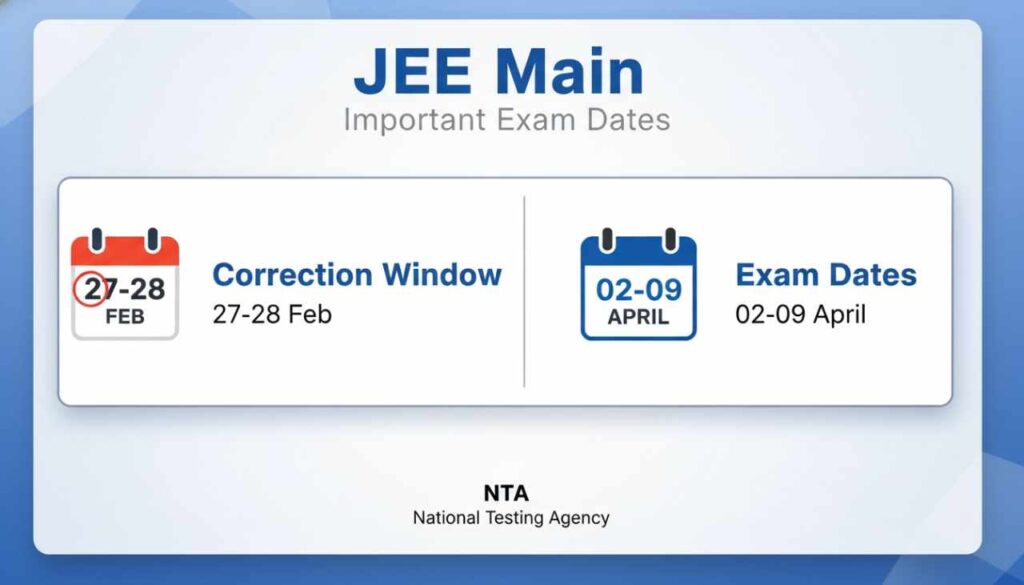
The National Testing Agency (NTA) has released the official notification regarding the Correction / Edit Form for the JEE MAIN Paper II Examination (April 2026). Candidates who have applied for the Session II exam can now edit their application details through the official website. The NTA application correction window opened on 27 February 2026 and will remain active until 28 February 2026. The examination is scheduled to be conducted from 02 to 09 April 2026. Candidates are advised to check the complete details for the NTA JEE MAIN Session II Correction Form 2026 provided below.

NTA JEE Main Session II 2026: Overview
| Organization Name | National Testing Agency (NTA) |
|---|---|
| Exam Name | Joint Entrance Examination (JEE) Main – Session II (April 2026) |
| Category | Admission / Entrance Exam |
| Status | Correction Window Open |
Important Dates
| Event | Date |
|---|---|
| Application Start Date | 01 February 2026 |
| Last Date to Apply Online | 25 February 2026 |
| Fee Payment Last Date | 25 February 2026 |
| Correction Date | 27 – 28 February 2026 |
| Exam Date | 02 – 09 April 2026 |
| Admit Card Available | 03 Days Before Exam |
| Result Declared | [Result: Awaited] |
Application Fee
| Category | Fee Amount |
|---|---|
| General / OBC / EWS | ₹ 1000/- to ₹ 2000/- |
| SC / ST / PwD | ₹ 500/- to ₹ 1000/- |
| Payment Mode: Debit Card, Credit Card, Internet Banking, IMPS, Cash Card, Mobile Wallet | |
Eligibility & Qualification
| Educational Qualification | Candidates who have passed their Class 12 or equivalent examination in 2024 or 2025.Candidates currently appearing for the Class 12 or equivalent examination in 2026 are also eligible. |
|---|---|
| Age Limit | As per NTA JEE Main Information Brochure Rules. |
How to Fill Correction Form
- Visit the official website of NTA JEE Main (Link provided below).
- Login using your Application Number and Password.
- Look for the “Correction for Session-II” link on the dashboard.
- Make the necessary changes in the allowed fields.
- Pay any additional fee if required (depending on category change).
- Submit the final form and take a printout of the revised confirmation page.
- Ensure all changes are made before the deadline: 28 February 2026.
Also Read: NTA AISSEE Result 2026 Declared – Check Class 6 & 9 Score Card, Merit List
Important note:
We advise all students that before filling your form or correcting it, read official notification carefully, only after that fill your form, like last date, age limit and education qualification.
Important Links
| Online Correction Link | Click Here |
| Apply Online | Click Here |
| Download Information Brochure | Click Here |
| Check Official Notification | Click Here |
| Check Syllabus | Click Here |
| NTA Official Website | Click Here |
Disclaimer: The Examination Results / Marks published in this Website is only for the immediate Information to the Examinees and does not to be a constitute to be a Legal Document. While all efforts have been made to make the Information available on this Website as Authentic as possible. We are not responsible for any Inadvertent Error that may have crept in the Examination Results / Marks being published in this Website and for any loss to anybody or anything caused by any Shortcoming, Defect or Inaccuracy of the Information on this Website.
Important Questions and Answers
When does the NTA JEE Main Session 2 Correction window open?
The correction window is open from 27 February 2026 to 28 February 2026.
What is the exam date for JEE Main 2026 Session 2?
The exam will be conducted from 02 April to 09 April 2026.
Can I edit all details in the JEE Main Correction Form?
No, candidates can only edit specific fields as allowed by NTA. Please check the official portal for editable fields.
What is the application fee for JEE Main 2026?
For General/OBC/EWS it is ₹ 1000/- to ₹ 2000/-, and for SC/ST/PwD it is ₹ 500/- to ₹ 1000/-.
When will the Admit Card for JEE Main Session 2 be released?
The Admit Card will be available 03 days before the exam date.