Post Date: 26 February 2026 | 10:04 AM
Railway Recruitment Board (RRB) has released the Answer Key for the recruitment of Section Controller under CEN 04/2025. The written examination was successfully conducted on 11-12 February 2026. Candidates who appeared in this exam can now download their provisional answer key and response sheet. The application process for this vacancy was active from 15 September 2025 to 14 October 2025. There are a total of 368 vacancies for the post of Section Controller. Candidates are advised to check their answers and raise objections if necessary before the deadline. The direct link to check the status and download the key is provided in the important links section below.
RRB Section Controller Recruitment 2025 : Overview
| Organization Name | Railway Recruitment Board (RRB) |
| Post Name | Section Controller |
| Advt No. | CEN 04/2025 |
| Total Vacancy | 368 Posts |
| Category | Answer Key / Result |
| Official Website | indianrailways.gov.in |
Important Dates
| Event | Date |
|---|---|
| Application Start Date | 15 September 2025 |
| Last Date to Apply | 14 October 2025 |
| Exam City Details | 03 February 2026 |
| Admit Card Release | 07 February 2026 |
| Exam Date | 11-12 February 2026 |
| Answer Key Released | 26 February 2026 |
| Result Date | [Result: Awaited] |
Application Fee
| Category | Fee Amount |
|---|---|
| General / OBC / EWS | ₹ 500/- |
| SC / ST / EBC | ₹ 250/- |
| All Category Female | ₹ 250/- |
| Payment Mode | Debit Card, Credit Card, Net Banking, IMPS, Mobile Wallet |
Vacancy Details & Eligibility
| Post Name | Total Post | Eligibility |
|---|---|---|
| Section Controller | 368 | Bachelor’s Degree in any stream from a recognized University. Age Limit (as on 01/01/2026): 20-33 Years. |
Category Wise Vacancy Distribution
| Category | No. of Posts |
|---|---|
| General (UR) | 174 |
| EWS | 24 |
| OBC | 80 |
| SC | 56 |
| ST | 34 |
Selection Process
- Computer Based Test (CBT)
- Computer Based Aptitude Test (CBAT)
- Document Verification
- Medical Examination
How to Download RRB Section Controller Answer Key 2026
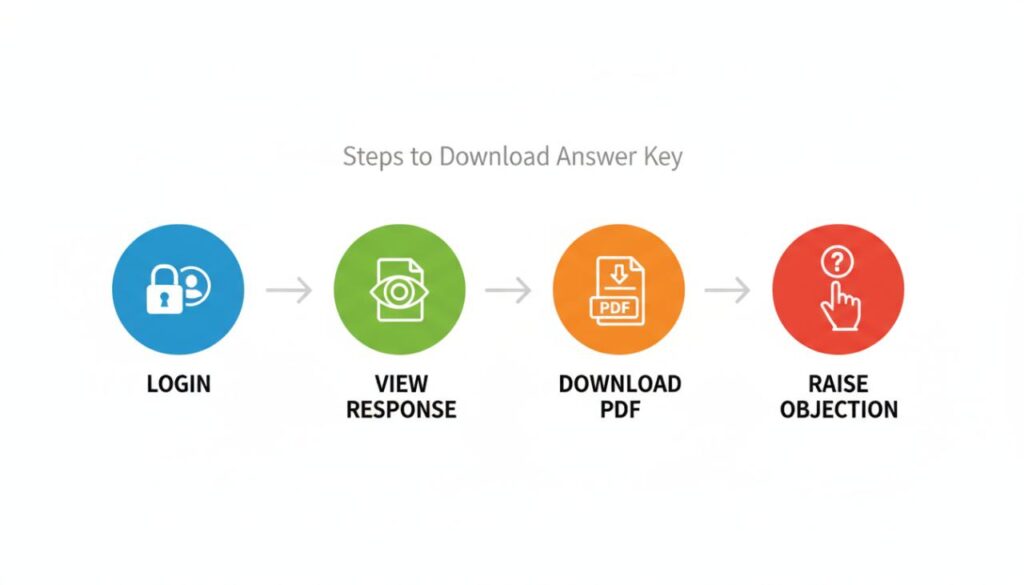
- Visit the official website of the Railway Recruitment Board (RRB) or click the direct link below.
- Navigate to the “Answer Key” or “Candidate Login” section for CEN 04/2025.
- Enter your Registration Number and Date of Birth (or Password) to log in.
- Once logged in, look for the link to view your “Response Sheet”.
- The answer key and your responses will appear on the screen.
- Download the PDF and save it for future reference to calculate your estimated score.
Also Read: Western Railway Apprentice Recruitment 2026 – Apply Online for 5349 Posts | RRC WR Notification
Important note:
We advise all candidates before checking answer key, read official notification carefully. If you have any objection related to any question, then submit your application in timeline. In any errors or issue, preference will be given to websites information.
Important Links
| Download Answer Key | Click Here |
| Check Answer Key Notice | Click Here |
| Download Admit Card | Click Here |
| RRB Official Website | Click Here |
Disclaimer: The examination results / marks published in this website are only for the immediate information to the examinees and do not constitute to be a legal document. While all efforts have been made to make the information available on this website as authentic as possible, we are not responsible for any inadvertent error that may have crept in the results / marks being published in this website.

Important Questions and Answers
When will the RRB Section Controller Answer Key 2026 be announced?
The answer key was released on 26 February 2026.
Where can candidates check the RRB Section Controller Answer Key 2026?
Candidates can check the answer key on the official regional RRB website or via the direct link provided in this article.
What is the exam date for RRB Section Controller 2025?
The exam was conducted on 11-12 February 2026.
Is there any negative marking in the RRB Section Controller Exam?
Yes, as per standard RRB norms, negative marking is usually applicable. Please refer to the official notification for the specific ratio (typically 1/3rd).
How can I raise an objection against the answer key?
You can raise objections by logging into the portal using your credentials and clicking on the ‘Objection Tracker’ link, paying the requisite fee per question.