
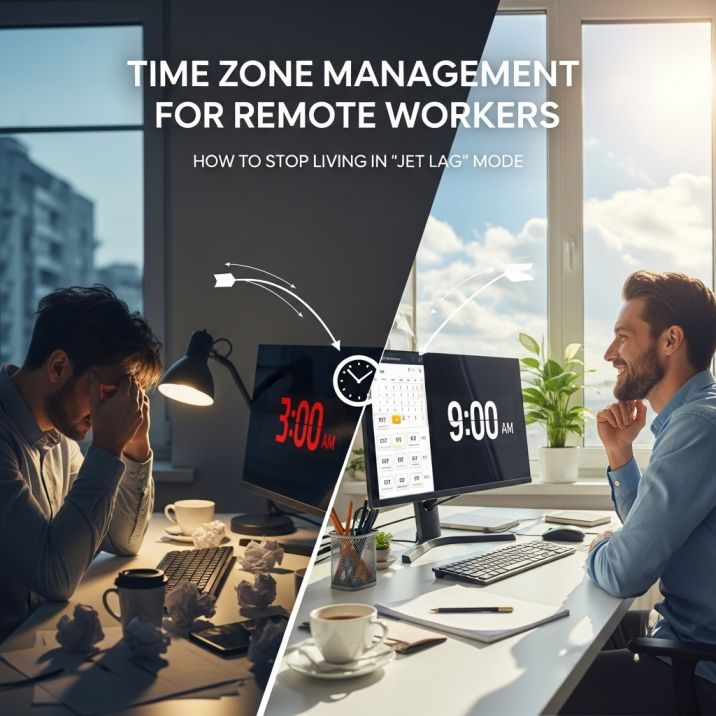
It’s Tuesday night at 10:30 PM. You’re in your pajamas, brushing your teeth, and ready to go to bed after a long day. Your phone suddenly lights up. Ping. It’s your New York project manager. “Hey, do you have a second to talk about the Q3 report?”
Your brain goes into a panic. Do you say yes? Do you just ignore it? You will be awake for another hour if you answer. You feel bad if you don’t do it. Welcome to the dark side of “work from anywhere.”
We sold ourselves on a dream: “I can work from a beach in Bali!” “I can move back to my hometown!” But no one told us that time is not flexible, even though geography is. You are not a digital nomad if your team is in London, your client is in San Francisco, and you are in Mumbai. You are a digital zombie who lives in three different time zones at the same time.
You will get burned out if you don’t handle this well. Not in a “I need a vacation” way, but in a “my health is falling apart” way. This is the guide to mastering time zones without messing up your sleep schedule.

1. Stop Doing Mental Math
The first rule of Time Zone Club is to never trust your brain to change the time. “Okay, so it’s 2 PM here, which is 5.5 hours ahead of there, minus daylight savings time. That means it’s 7 PM there.” Wrong. You forgot that Europe changed their clocks last week, but you didn’t. You missed the meeting now.
Stop making guesses. Your calendar should be the most reliable source of information.
- Google Calendar: Turn on the “Secondary Time Zone” feature right away. Put your boss’s time zone next to yours.
- World Time Buddy: This is a huge help. It shows how things overlap.
- The “World Clock” Widget: Add it to the home screen of your phone. You can’t send that accidental wake-up text because it’s 3 AM in Los Angeles.
Let the machines do the math for you. Your brain has more important things to do.
Similar More: Freelance vs. Full-Time: Which is Right for You?
2. 9-to-5 Overlap
This is where most remote workers mess up. They try to work from 9 to 5 and make sure their team does too. That can’t be done. That means you work 16 hours a day.
You need to look for the “Golden Overlap.” This is the short time frame—2 to 3 hours—when both you and your team are awake and able to work.
- It could be your evening and their morning.
- It could be your late morning and their early afternoon.
This time is worth your life. This window is only for meetings to sync up, make quick decisions, and work together. Don’t waste this valuable time answering emails or doing deep work. You can do that while the other side of the world is sleeping. When the overlap is over, sign off. Really. Go away.

3. Async is the Only Way to Survive
Your remote setup is broken if you need to use Zoom to make every decision. In a team that works together from different places, Asynchronous Communication (Async) isn’t just a “nice to have.” It’s air.
You need to get really good at writing things down. Instead of saying, “Let’s have a quick call to talk,” try this:
- Make a 3-minute Loom video that explains your idea.
- Make a long memo or Slack post.
- Before you go to sleep, send it to them.
They are watching your video, reading your notes, and making changes while you sleep. The work is done when you wake up. This is the “follow the sun” way of doing things. When it works, it feels like magic. But you have to be able to write clearly. If your messages are unclear (“can we talk?”), they set off a 24-hour delay loop that stops work from getting done.
4. Set Boundaries and Communicate Them
The “Open” sign is always on when you work from home. People will text you when it’s convenient for them. You have to choose when it works for you.
You need to teach your coworkers how to value your time.
- Don’t leave the Slack/Teams Status box empty. Make it clear automatically.
- “Back at 2 PM in Focus Mode”
- “Offline – It is 11 PM here 🌙”
- If you have Slack on your phone, you are playing with fire. Make a plan for when to not be disturbed. Your phone should be a brick from 8 PM to 8 AM.
You have set a precedent if you reply to an email at 11 PM once. Next time, they will expect it. Don’t answer after hours. At first, it seems rude. In the end, it earns respect.
5. Empathy Clock
Being able to understand other people’s feelings is a big part of managing time zones. It’s about knowing that the person on the other end of the video call has been working for 10 hours and just wants to eat dinner, even though you feel great after your morning coffee.
- If you keep asking the Tokyo team to stay up until midnight for a meeting, you are not a good teammate.
- Change the pain. Take turns if a meeting has to happen at an inconvenient time. I get up early this week, and you stay up late next week.
Acknowledge it. Start the call with, “Hey, I know it’s late for you, thanks for jumping on.” A little validation goes a long way in preventing resentment.
Others: 2026 में बिना एक रुपया लगाए Online पैसे कैसे कमाएं?
6. Watch Your Sleep Hygiene
Working across time zones can throw off your body’s natural sleep-wake cycle faster than jet lag. Don’t wake up at 5:55 AM and roll out of bed if you have a meeting at 6 AM. And if you have a meeting at 10 PM, don’t go to bed right away at 10:30 PM. Blue light and adrenaline will be racing through your brain.
You need a “buffer zone.” Take 30 minutes to relax before going to bed after a late call. Read a book. Meditate. Don’t scroll through your phone. If you give up sleep for “availability,” your work will suffer within a month. For sure.
Final Thoughts
Time zones are the price we pay for being able to work from anywhere. You can’t get rid of the distance, but you can deal with the friction.
Stop trying to be on all the time. Enjoy the quiet of your morning when everyone else is asleep. That’s your special power. That’s when the work really starts.
FAQs
Q: My boss keeps texting me at 11 PM. Will I lose my job if I don’t answer?
A: If you answer once, they will know that you are free at 11 PM. After that, they expect it forever. You need to teach them. Don’t read the message until 8 AM. If they ask, “Why?” say, “I was asleep.” It’s hard to do the first time, but people will respect you for it. You should have left that toxic dump anyway if they fired you for sleeping.
Q: My team and I are 12 hours apart in time. Am I going to have to work nights forever?
A: No, you shouldn’t. It’s bad management if you’re the only one who stays up late every week. Suggest a “Rotation.” One week you stay up late, and the next week the team gets up early. Give the pain to others. If they won’t rotate, you should look for a job in a time zone that is closer to you, like moving from the US-Asia time zone to the US-South America time zone.
Q: Is it possible to work from a different country without letting IT know?
A: You can try, but the math for the time zones will catch up with you. You might miss a meeting because you forgot about daylight savings time, or you might sound tired at 2 PM because it’s 4 AM where you are. Also, your company’s VPN might flag your Bali IP address. It is dangerous. It’s better to be honest or ask for forgiveness.
Q: What should I do if my boss is obsessed with Zoom meetings and “Async”?
A: Don’t ask for permission; just show them what you did. Make a 3-minute video update and send it before the meeting is set to start. Say, “Hey, I made this update to save us time.” They’ll get hooked on how efficient it is when they find out they can watch it at twice the speed and skip the 30-minute call.
Q: Is there an app that does the math for me so I don’t look dumb?
A: Yes. Buddy for World Time. It looks bad, but it works. You should also put the “World Clock” widget on your phone’s home screen. You can’t send that text that wakes you up by accident because you can see that it’s 3 AM in London right on your screen.