
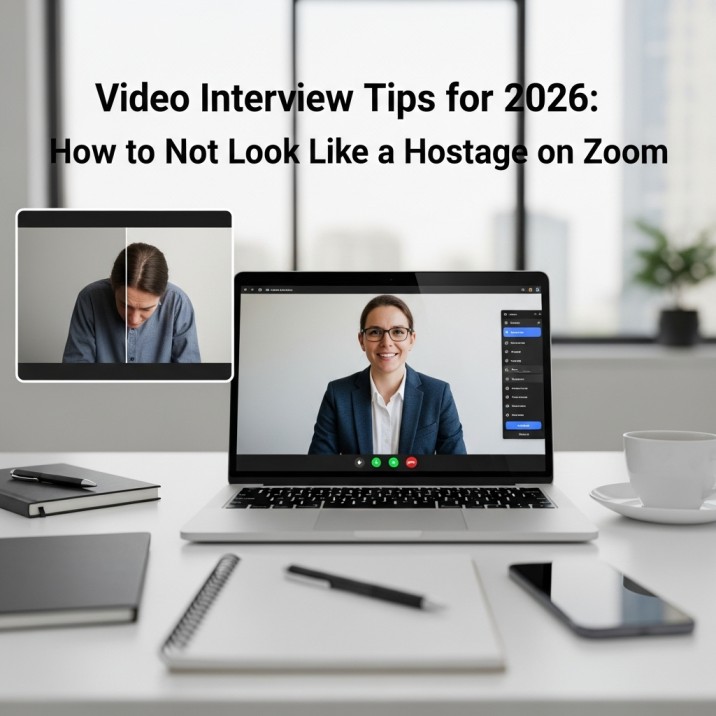
We all thought that video interviews were just a “pandemic phase.” We thought we’d go back to shaking hands and drinking bad coffee in waiting rooms. But it’s now 2026, and 90% of first-round interviews are still done on a screen.
And to be honest? It’s getting stranger. At first, it was just you and a hiring manager on Zoom. You could be recording answers for a “One-Way Interview” where no one is watching, or you could be talking to an AI Avatar that nods politely while looking at your facial expressions.
It’s dystopian, it’s weird, and it’s the only way to get a job.
You are losing if you still think of a video interview as a phone call with pictures. You can’t just get out of bed, put on a blazer over your pajamas, and hope the WiFi works. You need a plan.
This is the no-nonsense guide to acing the video interview in 2026 without coming off as a robot or a nervous wreck.

1. Fix Your Angles
I don’t know why we still have to say this, but please stop putting your laptop on the table. The interviewer spends 30 minutes looking up your nose when your camera is lower than your face. It’s not a power move; it just looks bad.
The Fix: Get a pile of books. Get a box for shoes. Take anything. Raise your laptop so that the camera lens is at eye level. You should be looking straight ahead, not down. This shows that you are interested and confident. When you look down, it looks like you’re judging them or reading a script.
Similar More: How to Learn New Skills for Career Growth That Actually Pay
2. Lighting
You don’t need a $500 studio to get started. You don’t have to stream. But you can’t sit with a bright window behind you. You become a shadow if the window is behind you. You look like an anonymous witness in a crime show.
The Fix: Look out the window. The best filter in the world is natural light. Get a cheap ring light if it’s dark outside or you live in a cave. Don’t hit it in the face; if you can, bounce it off a wall. You want to look awake and healthy, not like you haven’t been outside in three years.

3. One-Way
This is the trend that everyone hates. You get a link. You click on it. A text prompt says, “Tell us about a time you failed.” You have two minutes to write down your answer and thirty seconds to think about it. No one on the other side. It’s just a timer.
It’s really uncomfortable. You feel like you’re talking to nothing. Most people stop moving. They talk too much. They start over 15 times.
How to make it through:
- Act like the camera lens is a person. If you have to, put a googly eye next to the lens.
- Don’t write it down perfectly. If you sound like you’re reading, the AI (which is probably grading you first) will mark you as “low engagement.”
- More energy. You need 10% more energy than normal because the camera takes away your charm. You are probably doing it right if you feel a little silly.
4. Eye Contact Trick
When we talk to people on Zoom or Teams, we naturally look at their faces on the screen. But to them, it seems like you’re looking down. You have to look at the black dot on the camera lens to “make eye contact.”
It doesn’t feel right. You want to know how they feel. The Hack: Put a little sticky note with a smiley face next to the lens of your camera. It tells you where to look. When you talk, look at the note. Look at their face on the screen while they are talking. This small change makes you look very focused and trustworthy.
5. Don’t Be a Reader
Everyone tries to cheat in 2026. Candidates have three windows open: one for ChatGPT, one for their resume, and one for “Interview Answers.” They think they are smart. No, they aren’t.
People who hire know. We can tell that you’re reading by the way your eyes move back and forth. Your glasses show us the white screen. We can hear you type. Also, a lot of interview platforms now use Eye-Tracking AI to flag candidates who are looking at something other than the screen.
The Advice: Don’t use scripts; use bullet points. Put a post-it note on your screen with the words “Leadership,” “Project X,” and “Sales Growth.” Look at it, but say what you really mean. You’re done if you sound like you’re reading a press release.
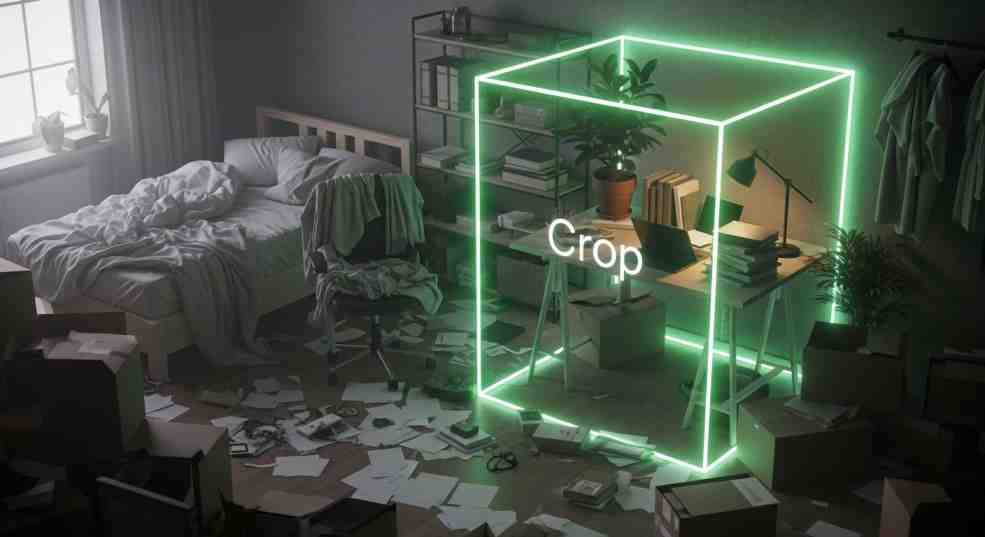
6. Background Vibe Check
What is behind you is important.
- The Unmade Bed: says “lazy.”
- The Blank White Wall: screams “video of a hostage.”
- The Virtual Background says, “I’m hiding something messy.”
Stop using the fake “San Francisco Office” background or the blurred background. Every time you move your hands, it glitches out, and half of your hair goes away. It looks cheap.
Find a corner to fix it. Put a plant in that spot. Or a shelf for books. Or a lovely work of art. You want “Realism with Order.” It shows that you have your act together. If your room is messy, sit with your back to a wall so that the camera can only see your shoulders and the wall.
Others: First Job: पहले दिन क्या करें?,घबराना नहीं है, बस ये टिप्स फॉलो करें
7. Pants Are Mandatory
We have all heard the scary stories. The person who thought they were safe had to stand up to close a door because the dog barked. And boom! Boxer shorts are on display.
Just put on the pants. It also affects how you think. Your voice sounds different when you’re fully dressed for work. You sit up straighter. You care more about it. Your brain is still half in “Netflix mode” if you are wearing pajama bottoms.
8. Tech Check
“Do you hear me? “Can you see me?” The mood is already dead if you start the interview with 5 minutes of fixing things.
The 10-Minute Rule: Get there 10 minutes early. Try out the mic. Check the camera. Make sure your internet is fast. And stop getting notifications. While you’re trying to explain your biggest weakness, the “Slack Ping” sound coming from your laptop every 30 seconds is the worst. It’s annoying, and it shows you didn’t plan ahead.
Final Thoughts
Video interviews are like a show. It’s not just what you say; it’s also how you look through a bunch of pixels.
You don’t have to be an actor in Hollywood. You just need to get rid of the friction. Audio that is clear. Nice light. Look at each other. No interruptions. If you can do that, you’re already ahead of 80% of the candidates who show up looking like a pixelated shadow in a messy room.
FAQs
Q: Is it okay to use notes, or does that make me look like I’m cheating?
A: You can use notes, but don’t put them on the table where you have to look down. Put a Post-it note next to your webcam. Don’t write full sentences; just write bullet points. When you read a script, your eyes will move back and forth, and you will sound like Siri. Just use the keywords to help you remember.
Q: What if my internet goes down while I’m answering?
A: Don’t say you’re sorry for five minutes. It happens. Before the call starts, make sure your phone’s hotspot is ready to go. If you freeze, reconnect, smile, and say, “Sorry, technology got the best of me for a second.” I was telling you about… If you stay calm, it makes you look good under stress. If you freak out, you lose points.
Q: Do I really have to look at the lens? It feels strange.
A: Yes. You think it’s strange, but they think it’s connected to them. When you look at their face on the screen, it looks like you’re looking at their chin or chest. Use the “Sticky Note Trick”: Put a sticker of a smiley face next to the lens. Speak to the sticker.
Q: Is it okay to have a background that isn’t real? My room is a disaster.
A: If you can, stay away from it. Problems with virtual backgrounds. When you move, they cut off your hands and ears. It looks like it costs a lot. It’s better to just sit with your back against a plain wall or clean a corner of your room for ten minutes. People often trust “Real but messy” more than “Fake and glitchy.”
Q: What should I do with my hands?
A: Keep them low but still visible. Don’t cross your arms; it makes you look defensive. Don’t put them under the table; it makes you look stiff. Act like you would in a coffee shop. It shows you’re not a deepfake and makes your voice sound more lively.